
No products in the cart.


Power meets portability: How to choose the right laptop for students and professionals in Malta Leave a comment
Power meets portability: How to choose the right laptop for students and professionals in Malta
Most lightweight laptops sacrifice power for portability, leaving students and professionals stuck with slow machines or bulky bags. Finding a device that weighs between 1.2 and 1.5 kg, runs on Intel Core i5/i7 13th Gen or AMD Ryzen 5/7 7000 series, and lasts 10+ hours on battery isn’t easy in Malta’s market. This guide breaks down the specs that matter and shows how PC Zone Malta’s expert advice and bespoke configurations help you get the perfect balance of power and portability. For more insights, you can check out this comprehensive guide.
Power and Portability Essentials
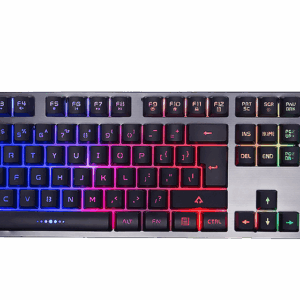
Finding the perfect laptop that balances performance and portability starts with understanding key specifications. These specs ensure you get the most out of your device without compromising on convenience.
Key Specifications for Students
Students often need laptops that are light yet powerful enough to handle multiple tasks. A laptop weighing between 1.2 and 1.5 kg is ideal for carrying around campus. Consider models running on Intel Core i5/i7 13th Gen or AMD Ryzen 5/7 7000 series processors. These chips provide the power needed for multitasking, whether you’re streaming lectures or working on assignments. 10+ hours of battery life keeps you unplugged all day, so you won’t have to hunt for outlets in the library.
Storage is another critical factor. A 512GB NVMe SSD offers fast data access and enough space for your projects. If your needs grow, many laptops support upgrades to 1TB. For multitasking, 16GB RAM is recommended, with some models allowing you to upgrade to 32GB. For more tips on student laptops, you might find this article useful.
Professional Needs in Malta
Professionals in Malta require devices that can handle more demanding tasks while still being portable. A lightweight laptop with a robust processor is key. Intel Core i7 or AMD Ryzen 7 provides the necessary boost for running complex applications. Look for models with Windows 11 Pro to support your business needs.
Connectivity is crucial. Ensure your laptop includes Wi-Fi 6/6E and Bluetooth 5.2 for seamless internet access and device communication. Ports like USB-C with Power Delivery and Thunderbolt 4 are great for connecting peripherals and fast data transfer. An IPS display with 100% sRGB ensures your screen shows true-to-life colours, perfect for design work. More detailed professional advice can be found in this guide.
Choosing the Right Configuration
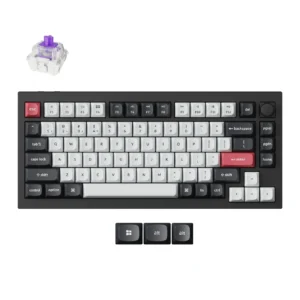
Your laptop configuration can greatly impact performance. Understanding the differences in components will help you make the best choice for your needs.
Integrated vs Dedicated GPU
Graphics processing units (GPUs) significantly influence performance, especially in visual tasks. Integrated GPUs, built into the processor, are more than sufficient for everyday tasks and light gaming. They’re energy-efficient and ideal for students and professionals focusing on documents and presentations.
On the other hand, a dedicated GPU like NVIDIA RTX is essential if your work involves graphic design, video editing, or gaming. It provides superior performance and visual quality. While dedicated GPUs increase the laptop’s power needs, they offer unmatched performance for intensive applications. For more insights into choosing the right GPU, refer to this article.
Display and Connectivity Options
Screen size and quality are essential for both comfort and productivity. A 14-inch display is perfect for portability, while a 15.6-inch screen offers more space for multitasking. Make sure the display is IPS for wider viewing angles and better colour accuracy.
Connectivity options can greatly enhance functionality. Thunderbolt 4 ports allow for high-speed data transfers and connecting multiple devices. USB-C with Power Delivery ensures fast charging. Always check for the latest wireless features like Wi-Fi 6/6E for faster internet speeds and Bluetooth 5.2 for better device communication. For a detailed exploration of what to look for, check out this comprehensive guide.
Local Expertise and Support
Choosing the right laptop is just the beginning. Having access to local expertise and support can make a big difference in your purchasing experience.
Bespoke Configurations at PC Zone Malta
PC Zone Malta offers bespoke configurations to match your specific needs. Whether you’re a student or a professional, our expert team helps design a setup that’s perfect for you. We consider your budget and requirements to craft a system that delivers the best performance. This tailored approach ensures you get the most out of your investment, providing peace of mind that your device will handle all your tasks efficiently.
Benefits of Local Warranty and Support
Buying local has its perks. With PC Zone Malta, you receive not only a powerful laptop but also reliable local warranty and support. If issues arise, you won’t face long waits for international shipping. Our local team is ready to assist with any concerns or repairs. This local advantage ensures you have less downtime and more productivity. The convenience of having immediate support is a significant benefit, particularly for students and professionals who rely on their devices daily.
In conclusion, choosing the right laptop involves balancing numerous factors, from specifications to local support. With PC Zone Malta, you can find the perfect laptop that meets your power and portability needs, backed by expert advice and support.